

Standard HDMI cables handle 1080p and nothing more. High Speed handles 4K at 30Hz. Premium High Speed adds 4K60 with HDR. Ultra High Speed HDMI is the only cable rated for 4K120 and 8K. Buy the wrong tier and you either overpay for bandwidth you never use or bottleneck a display you paid good money for.
Retailers slap “HDMI cable” on the box and let you guess the rest. The official HDMI Licensing Administrator naming is specific, and once you know it, picking the right cable takes ten seconds.
Standard and High Speed HDMI: What They’re Actually Rated For
A Standard HDMI cable is the oldest tier still sold. It’s certified for 1080i and 720p, roughly 5 Gbps of bandwidth. It works fine for an older cable box or a budget projector, but feed it a 4K signal and you’ll see dropouts or a blank screen.
High Speed HDMI steps up to 10.2 Gbps, enough for full 1080p and 4K at 30Hz. This is the cable that shipped in the box with most TVs and Blu-ray players from 2010 through the mid-2010s. It still covers everyday setups, just not gaming or HDR video.
Premium High Speed HDMI and the 18 Gbps Jump
Premium High Speed HDMI was introduced alongside HDMI 2.0 and certified for 18 Gbps. That’s the bandwidth 4K60 with HDR actually needs. If your setup is a 4K streaming box or a current-gen Blu-ray player feeding a 4K HDR television, this tier covers you without paying for capacity you can’t use.
Look for the Premium HDMI Cable Certification label on the packaging. Cables sold as generic “4K HDMI” often meet the bandwidth on paper but skip the certification testing, which is where cheap cables start dropping frames under load.
Ultra High Speed HDMI: The HDMI 2.1 Cable
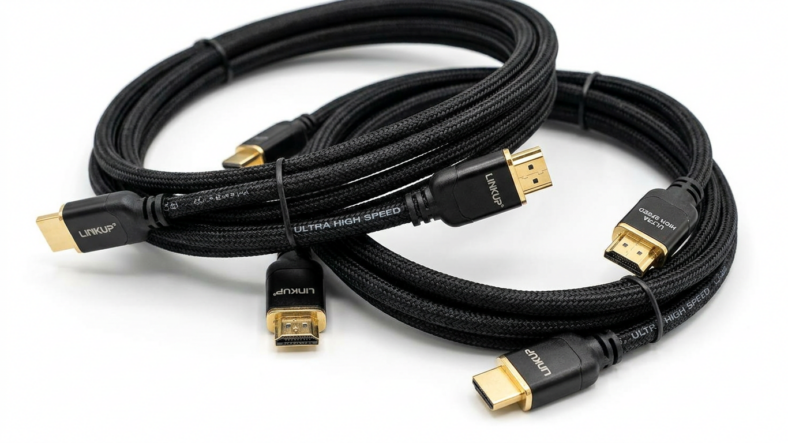
Ultra High Speed HDMI is rated for 48 Gbps, more than double the Premium tier. It’s the only cable that supports the full HDMI 2.1 feature set: 4K at 120Hz, 8K at 60Hz, Variable Refresh Rate, and enhanced ARC for lossless audio return.
You need this cable if you own a PS5, Xbox Series X, or an RTX-class GPU paired with a 120Hz 4K television. Anything less caps your refresh rate no matter how capable the console or GPU is.
Which HDMI Cable Tier You Actually Need
Match the cable to the weakest link, not the strongest. A 4K120 television connected through a High Speed cable still runs at 4K30, because the cable is the bottleneck.
Cable television or a 1080p monitor: Standard or High Speed is enough. 4K streaming and Blu-ray at 60Hz with HDR: Premium High Speed. Anything running 4K120, 8K, or VRR: Ultra High Speed, no substitute.
The same buy-for-your-actual-use principle applies to your home network. Just like choosing a Cat 6 ethernet cable over an older Cat 5e run when you upgrade your internet plan, the right HDMI tier matches the hardware you own now, not the hardware you might buy later.
If your home theater pulls from a wired connection, an ethernet switch feeding your streaming devices keeps 4K playback steady in a way Wi-Fi alone often can’t. Streaming over wireless instead, a properly matched router matters just as much as the cable running to your screen.
Frequently Asked Questions
Does a longer HDMI cable need a higher tier?
Length affects signal integrity more than tier does. Past 25 feet, even a certified Ultra High Speed cable can need active amplification to hold the full 48 Gbps signal without dropouts.
Can I use a High Speed cable for a 4K60 HDR television?
You can plug it in, but it wasn’t tested for that bandwidth. You’ll often see banding in HDR content or intermittent dropouts, especially on longer runs.
Is Ultra High Speed HDMI backward compatible with older devices?
Yes. An Ultra High Speed cable works fine with a 1080p or 4K30 device, it just won’t unlock features the source hardware doesn’t support in the first place.

Adriana Mercado is a writer who explores the intersection of science, futurism, and storytelling. She covers simulation theory, emerging technologies, strange biological discoveries, and the worlds created in sci-fi and fantasy. Her work focuses on curiosity, clear explanations, and uncovering ideas that sit just beyond the mainstream.