

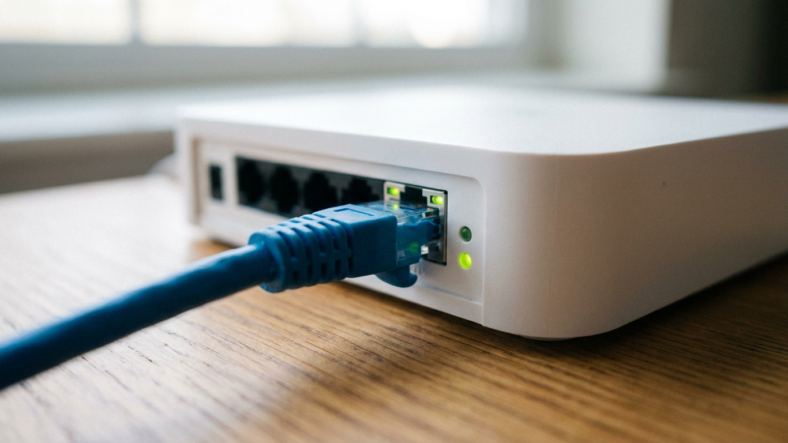
On a gigabit home network, Cat 6 ethernet cable speed tops out at about 949 Mbps of real data out of 1,000 Mbps on the wire. The missing 51 Mbps is protocol overhead, so a wired speed test in the 900s on a gigabit plan means your Cat 6 is doing its job.
Cat 6 can carry 10 Gbps up to 55 meters, but the ports at each end usually set the ceiling long before the cable does.
Why a 1 Gbps Link Never Shows 1,000 Mbps
A full 1,500-byte ethernet payload needs a 1,538-byte slot on the wire once you add the preamble, header, trailer and the mandatory gap between frames.
That caps raw ethernet efficiency at 97.53 percent. IPv4 and TCP headers then take another 40 bytes out of each packet, leaving 1,460 bytes of your actual data per 1,538 sent.
A perfect gigabit link therefore moves about 949 Mbps of file or speed-test data. No cable category changes that math, because the overhead comes from the frame and packet headers.
Video: NetWork From Home
The Real Ceiling at Each Link Speed
The table applies the same overhead to every common link speed. The last column is the lowest cable category rated for that speed at 100 meters.
| Link speed | Ethernet ceiling (97.53%) | Data you can actually move (94.9%) | Cable rated for a 100 m run |
|---|---|---|---|
| 100 Mbps | 97.5 Mbps | 94.9 Mbps | Cat 5 or better |
| 1 Gbps | 975 Mbps | 949 Mbps | Cat 5 or better |
| 2.5 Gbps | 2,438 Mbps | 2,373 Mbps | Cat 5e or better |
| 5 Gbps | 4,877 Mbps | 4,746 Mbps | Cat 5e or better |
| 10 Gbps | 9,753 Mbps | 9,493 Mbps | Cat 6a (Cat 6 only up to 55 m) |
Source: frame overhead from the Ethernet frame format (a 1,538-byte slot per 1,500-byte payload, 40 bytes of IPv4 and TCP headers); cable ratings from IEEE 802.3ab, IEEE 802.3bz and the Cat 6 and Cat 6a specifications as summarized on Wikipedia, checked November 19, 2026. Ceilings are computed, not measured.
The 94 Mbps Trap: When Cat 6 Runs at Fast Ethernet Speed
If your wired speed test lands near 94 Mbps, the link negotiated 100 Mbps instead of gigabit. Check the first row of the table: that is the 100 Mbps ceiling, almost to the decimal.
Gigabit ethernet needs all four wire pairs inside the cable. The older 100 Mbps standard uses only two, the orange and green pairs. A crushed jacket or one broken wire in the blue or brown pair can kill the gigabit link while 100 Mbps still works.
Most network cards then fail to bring the gigabit link up at all. Some fall back to 100 Mbps with no warning, so you see 94 Mbps and blame your internet plan.
A passive splitter forces the same limit by design, as our ethernet splitter vs switch guide explains. Buying a pricier Cat 8 cable fixes none of this when the wall jack or the device port is the actual fault.
How to Check What Your Connection Actually Negotiated
On Windows, open PowerShell and run Get-NetAdapter. The LinkSpeed column shows what each adapter agreed on with the router or switch.
- Read LinkSpeed for your Ethernet adapter with the cable plugged in.
- If it says 100 Mbps, swap in a cable you know works and check again.
- Still 100 Mbps? Move the cable to a different port on the router or switch.
- Still stuck, read the device’s spec sheet, because some devices ship with 10/100 ports only.
If every link reads 1 Gbps and speed tests still crawl, the bottleneck sits upstream. Our breakdown of modem vs router vs switch shows which box controls which part of the connection.
When Cat 6 Beats Cat 5e on Real Speed
For gigabit, it doesn’t. Cat 5e already carries 1 Gbps over 100 meters, and the 2.5 and 5 Gbps standards were written to run over Cat 5e as well.
Cat 6 earns its price at 10 Gbps, and only on runs up to 55 meters. Past that, you need Cat 6a. The full category breakdown, including the 250 MHz rating and crosstalk, is in our Cat 6 ethernet cable guide.
Buy Cat 6 for new in-wall runs you won’t want to pull out again. On a short gigabit patch cord, the cable you already own is rarely the bottleneck.
Frequently Asked Questions
Why does my Cat 6 cable only get 100 Mbps?
The link negotiated Fast Ethernet. Common causes are a 10/100 port on one end, a splitter in the path or a bad connector. A damaged pair usually kills the gigabit link outright, but some adapters fall back to 100 Mbps instead. Check LinkSpeed, then swap the cable and the port one at a time.
Is Cat 6 faster than Cat 5e for gigabit internet?
No. Both carry a full 1 Gbps link over 100 meters, so both top out at about 949 Mbps of real data. Cat 6 only pulls ahead at 10 Gbps, and only on runs up to 55 meters, because beyond that you need Cat 6a.
Can Cat 6 handle a 2.5 Gbps internet plan?
Yes. 2.5GBASE-T runs over Cat 5e or better at up to 100 meters. Your router and computer both need 2.5 Gbps ports, though, or the link drops back to 1 Gbps.

Adriana Mercado is a writer who explores the intersection of science, futurism, and storytelling. She covers simulation theory, emerging technologies, strange biological discoveries, and the worlds created in sci-fi and fantasy. Her work focuses on curiosity, clear explanations, and uncovering ideas that sit just beyond the mainstream.