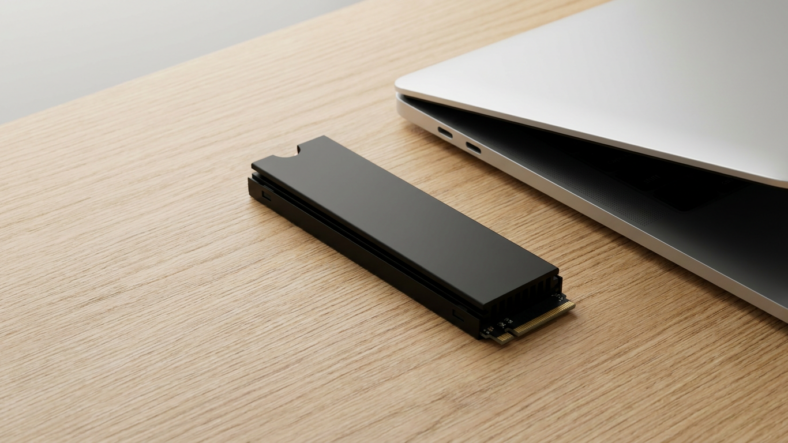



You check SSD health by reading its SMART attributes with a free tool like CrystalDiskInfo, then watching three numbers: reallocated sector count, wear leveling, and total bytes written. Catch a bad trend in those three and you back up your files before the drive locks you out. Miss it, and you find out the hard way, mid boot, with nothing readable.
SSDs rarely announce their death with a dramatic crash. They degrade, then fail. That gap between “acting weird” and “gone” is where prevention actually works.
What SMART Attributes Actually Tell You
Every SSD tracks its own health data through S.M.A.R.T. (Self-Monitoring, Analysis, and Reporting Technology). CrystalDiskInfo reads that data and translates it into plain numbers.
Three attributes matter most. Reallocated Sector Count shows how many storage cells the drive already quarantined as bad. Wear Leveling Count reflects how evenly writes spread across cells, tied directly to remaining lifespan. Total Bytes Written tells you cumulative data flow, comparable against the drive’s rated endurance in its spec sheet.
A healthy drive shows CrystalDiskInfo’s status as blue “Good.” Yellow “Caution” means back up now, not eventually. Red “Bad” means the drive could stop responding at any point.
Early Warning Signs Before the Numbers Turn Red
SMART data is the most reliable signal, but your own experience with the machine matters too.
Watch for file transfers that used to take seconds and now take minutes. Watch for the system freezing briefly when saving or opening large files. Watch for the drive vanishing from File Explorer and reappearing after a restart. Any one of these, paired with a Caution status in CrystalDiskInfo, means the drive is on borrowed time.
If you’re moving files off a failing drive onto network storage, having a solid wired connection matters more than usual. A cheap or damaged cat 6 ethernet cable can bottleneck or interrupt a large transfer right when you can least afford a retry.
Running Windows CHKDSK Without Making Things Worse
CHKDSK checks the file system for logical errors, not the physical health of the drive itself. Open Command Prompt as administrator and run chkdsk C: /f to fix file system errors, or add /r to also scan for bad sectors.
Skip the /r flag on a drive you already suspect is dying. It forces a full sector-by-sector read, and on a marginal SSD that extra stress can push a struggling drive past the point of no return. Back up first, scan second.
Manufacturer Tools Catch What Generic Software Misses
Samsung Magician, Crucial Storage Executive, and WD Dashboard read proprietary health metrics generic tools sometimes miss, plus they flag firmware updates tied to known reliability issues. If your SSD came from a major brand, run its own utility alongside CrystalDiskInfo, not instead of it.
Setting up a home NAS as a backup destination for an aging drive? A stable wifi router and a dedicated ethernet switch keep the backup job from stalling partway through.
Checking SSD Health From Linux or a Command Line
On Linux, macOS, or when Windows won’t boot, smartctl (part of the smartmontools package) reads the same SMART data from a terminal. Run sudo smartctl -a /dev/sda to see the full attribute table without installing a GUI. It works from a bootable USB stick too, which matters if the operating system on the failing drive itself won’t load anymore.
Frequently Asked Questions
How often should you check SSD health? Once a month for a personal machine. Weekly if the drive already shows Caution or handles heavy write loads.
Does a speed drop always mean failure? No. Thermal throttling and a full drive both slow performance without damage. Cross-check against SMART status first.
Can a failing SSD be repaired? No. Physical cell degradation isn’t reversible. Replace the drive and restore from backup.

Adriana Mercado is a writer who explores the intersection of science, futurism, and storytelling. She covers simulation theory, emerging technologies, strange biological discoveries, and the worlds created in sci-fi and fantasy. Her work focuses on curiosity, clear explanations, and uncovering ideas that sit just beyond the mainstream.